IP blocking and abuse alerts
Stop noisy or abusive traffic on a single form or across your account, without telling visitors they were banned.
Blocked IPs
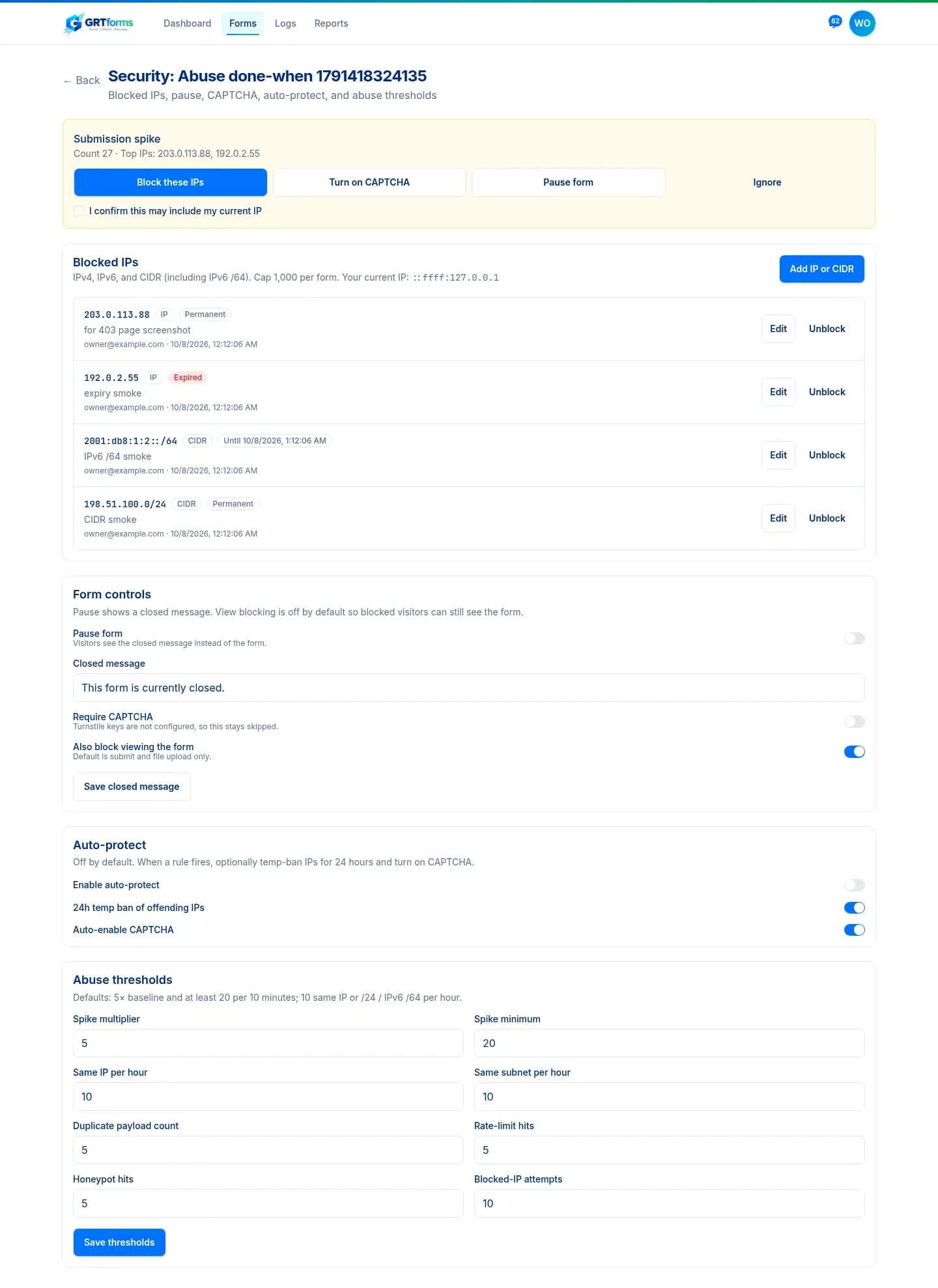
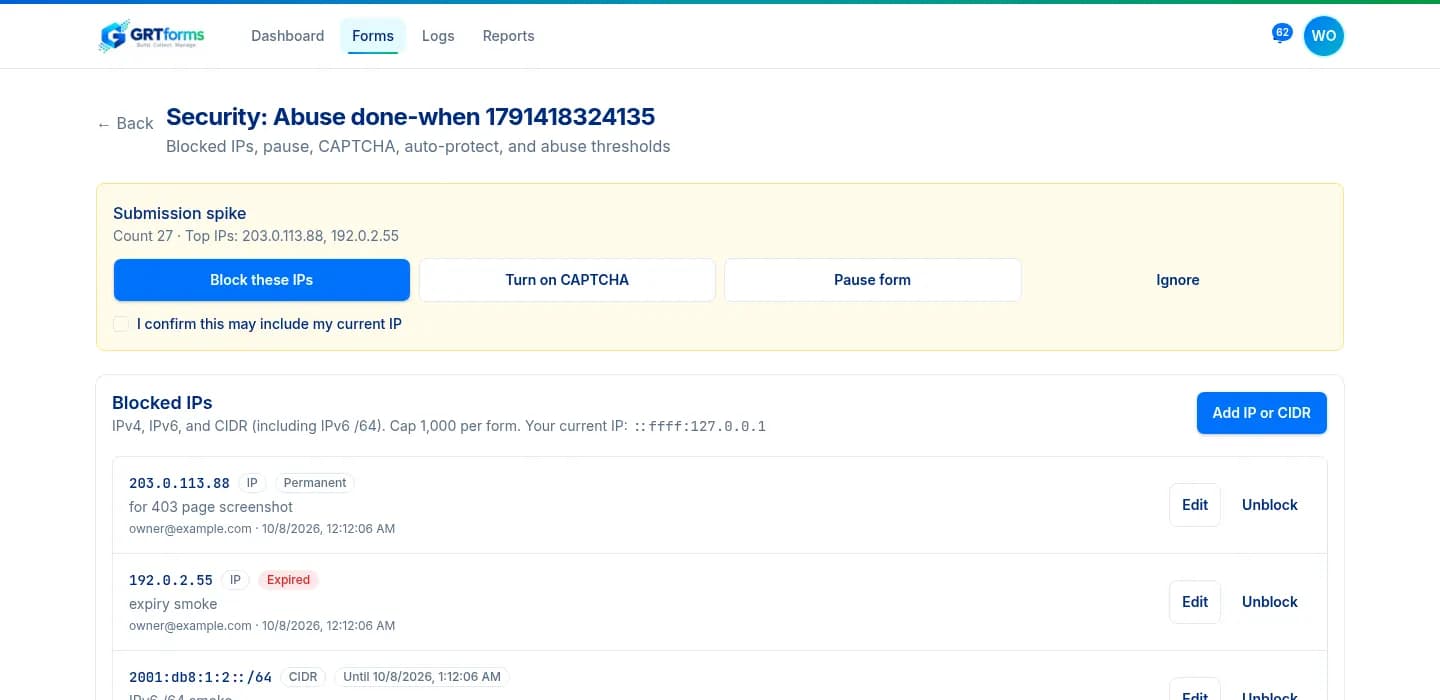
Open a form's Security page to add IPv4, IPv6, or CIDR values, including IPv6 /64. Each block can have a note and an expiry of 1 hour, 24 hours, 7 days, 30 days, or permanent. A form can hold up to 1,000 blocks.
Account-wide blocks live under Account → Blocked IPs and apply to every form you own. From a submission you can Block this IP, and from a selection you can Block selected IPs.
What blocked visitors see
A blocked visitor sees a generic Submission unavailable page: “This form isn't accepting your submission.” The page does not mention an IP ban. By default, blocking applies to submit and file upload; turn on Also block viewing the form if they should not see the form either.

Abuse alerts
GRTforms watches for submission spikes (5× a 7-day baseline and at least 20 in 10 minutes, by default), the same IP or /24 / IPv6 /64 range, duplicate payloads, honeypot hits, rate-limit hits, and blocked-IP attempts. Thresholds are editable on the Security page.
You get one in-app alert, then a digest at most every 30 minutes if the same incident continues. Email can go to your notification recipients. Each alert offers Block these IPs, Turn on CAPTCHA, Pause form, or Ignore (24 hours).
Pause, auto-protect, and Suspicious
Pause form shows a closed message instead of the form. Capacity, password, and schedule live on the same Security page — see form access controls. Auto-protect is off by default; when you turn it on, a firing rule can temp-ban offending IPs for 24 hours and enable Require CAPTCHA.
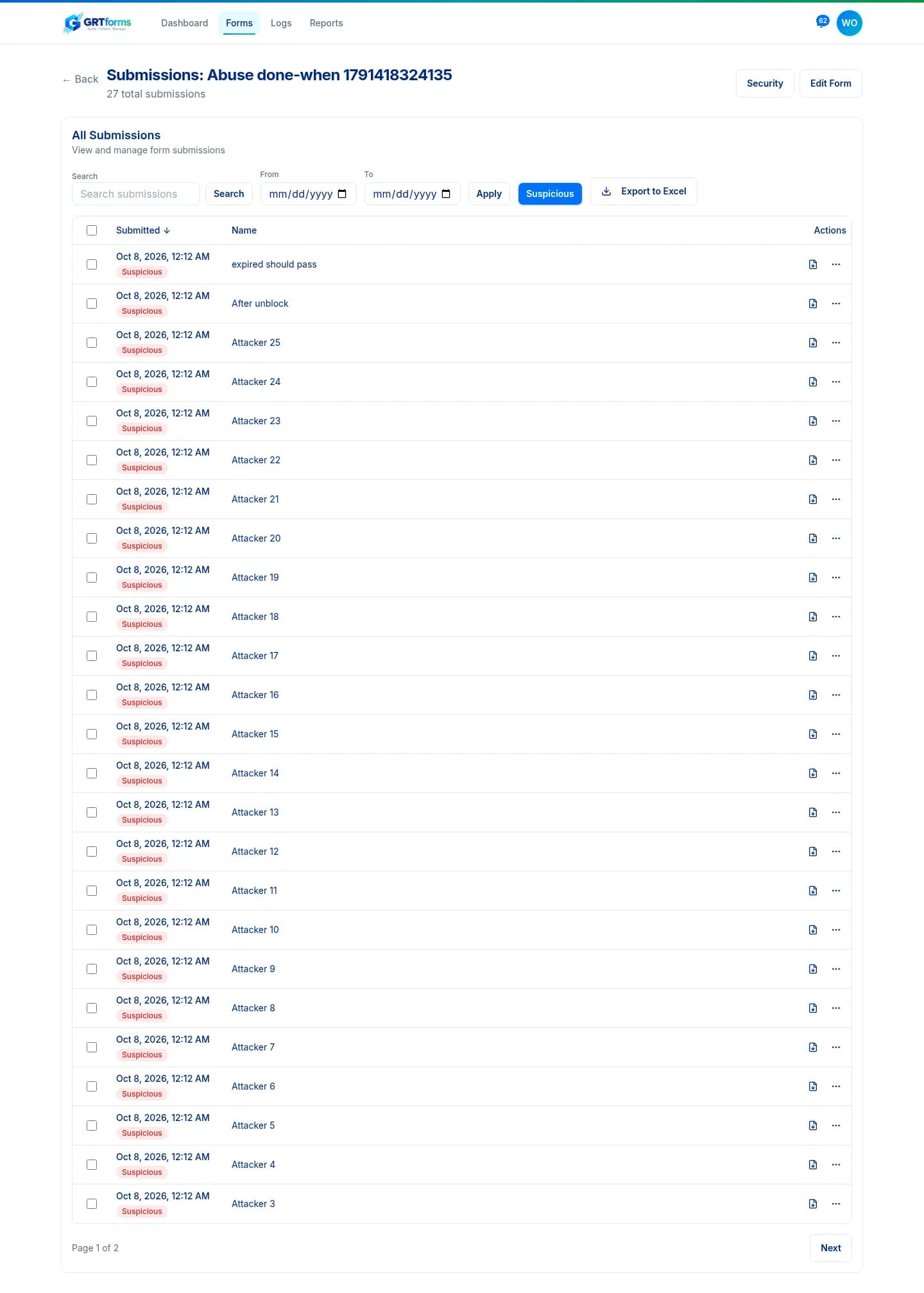
Matching submissions get a Suspicious badge. Filter the submissions list to those rows.
Where IP addresses are stored
Submission IP, user agent, and referrer are stored with each submission. IPs also appear in the block list, abuse records and alerts, activity logs, webhook payloads sent to the owner's URL, and e-signature audit records. They are not stored on login, signup, or email sign-in — those IPs are used in memory for rate limiting and sent to Cloudflare Turnstile for verification.
Back to features · Access controls · Turnstile CAPTCHA · Privacy